KPOP Radios1.0
Publisher Description
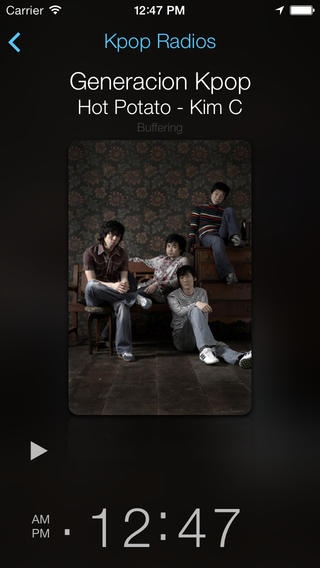
**50% off for a limited time**
Live KPOP Radios
KPOP Discussion Community
KPOP Quiz
JPOP RADIO STATIONS
Best collection of KPOP Radios including:
KFM
Seoul FM- Best of KPOP
Generacion Kpop Radio
MukulKast KPOP radio
Big B JPOP music
KPOP city station
KBS WORLD- Top Kpop radio
KPOP MEXICO- Kpop radio from Mexico
AnimeID Music
AnimeStereo
KTown KPOP radio
Live KPOP Music
KPOP Top 100
Soulnb Radio- Korea
KBS World- KPOP Hits
Pop 1 Korea- Latest KPOP music radio
Dimple Dance Korea
Angelo Pop 2 Korea
KM Studio- Korean Music
Radio 105 Vibe- KPOP Hits
XAMFM
Big B Kpop
DJ Bento's KPOP Music
KPOP Radios brings you the biggest collection of KPOP and JPOP radios directly to your iOS devices no matter where you are.
KPOP Quiz section with various quiz about KPOP history, KPOP artist details, and an option for you to submit your own question to KPOP quiz. KPOP quiz also features a quiz lederboard to see how your rank compares to everyone eses.
Its like Super Junior,Big Bangf, SHINee, TVSQ, 2NE1 and all your KPOP artists always with you with this app.
Please feel free to contact us at info@themissinglynx.com for any questions/comments.
Requires iOS 6.0 or later. Compatible with iPhone, iPad, and iPod touch.
About KPOP Radios
The company that develops KPOP Radios is Bikul Koirala. The latest version released by its developer is 1.0.
To install KPOP Radios on your iOS device, just click the green Continue To App button above to start the installation process. The app is listed on our website since 2011-02-09 and was downloaded 7 times. We have already checked if the download link is safe, however for your own protection we recommend that you scan the downloaded app with your antivirus. Your antivirus may detect the KPOP Radios as malware if the download link is broken.
How to install KPOP Radios on your iOS device:
- Click on the Continue To App button on our website. This will redirect you to the App Store.
- Once the KPOP Radios is shown in the iTunes listing of your iOS device, you can start its download and installation. Tap on the GET button to the right of the app to start downloading it.
- If you are not logged-in the iOS appstore app, you'll be prompted for your your Apple ID and/or password.
- After KPOP Radios is downloaded, you'll see an INSTALL button to the right. Tap on it to start the actual installation of the iOS app.
- Once installation is finished you can tap on the OPEN button to start it. Its icon will also be added to your device home screen.
